
Export Apple Reminders to Word
An editable .docx document with your lists as headings and each reminder with its details underneath.
- Best for
- Agendas, notes and documents you will edit
- Opens in
- Microsoft Word, Pages, Google Docs
Download on the App Store
Free to try · iPhone, iPad and Mac
How to export Apple Reminders to Word
- Download Export Reminders from the App Store and allow access to Reminders.
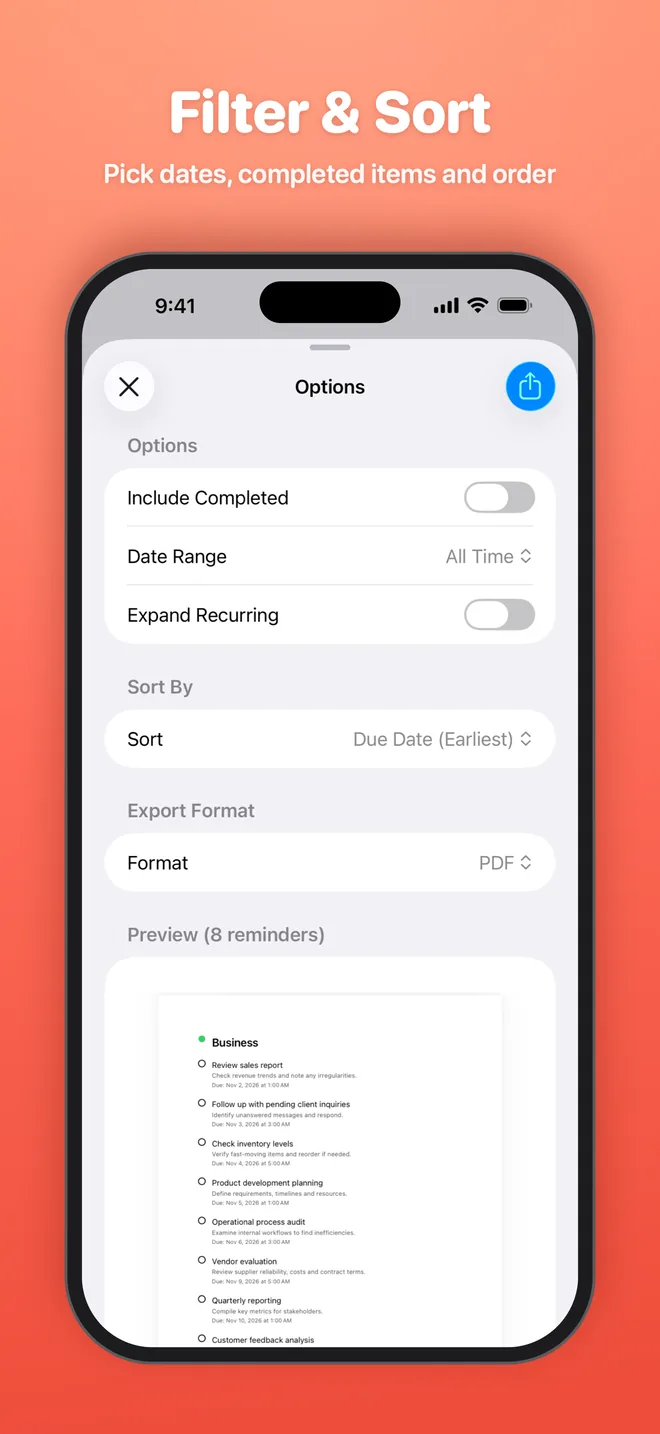
- Select the lists you want, then set filters such as completed reminders or a date range.
- Choose Word as the export format and check the preview.
- Tap Export, then save the file to Files or share it to any app.
What is included
- List name
- Title
- Notes
- Due date
- Priority
- Completed status and date
- Recurrence
- Created and modified dates
Good for
- Turn a list into a meeting agenda
- Add tasks to a project plan
- Edit and format before sharing
Get your reminders out of Reminders
Export your first list in under a minute. Free to try on iPhone, iPad and Mac.